How to Create a Ghibli Style Image
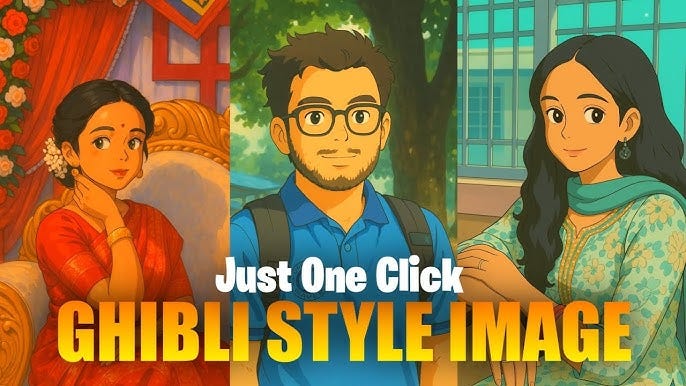
Studio Ghibli, renowned for its breathtaking animation and enchanting visuals, has captivated audiences worldwide with its unique art style. Whether you are an artist or a digital designer, creating a Ghibli-style image requires attention to detail, a keen eye for color, and an understanding of the studio’s aesthetic approach. In this guide, we will walk through the essential steps to create your own Ghibli-inspired artwork.
1. Understand the Ghibli Aesthetic
Before starting, take some time to study Studio Ghibli’s iconic films like My Neighbor Totoro, Spirited Away, and Howl’s Moving Castle. Notice the elements that define their visuals:
- Soft and painterly backgrounds: Ghibli backgrounds often resemble watercolor paintings with a dreamy, warm, and immersive feel.
- Bright and harmonious color palettes: The colors are rich yet balanced, emphasizing nature and fantasy elements.
- Detailed environments: Every scene is meticulously designed with intricate details in foliage, architecture, and landscapes.
- Expressive character design: Characters have simple, rounded features with a focus on soft shading.
2. Choose the Right Tools
To create a Ghibli-style image, you can use traditional or digital tools:
- Traditional Mediums: Watercolors, colored pencils, and gouache are great choices for mimicking Ghibli’s hand-painted aesthetic.
- Digital Software: Photoshop, Procreate, or Krita can help achieve the painterly effect using custom brushes and layers.
3. Sketching the Composition
Start with a rough sketch to establish your composition. Here are a few tips:
- Focus on natural settings, such as forests, rolling hills, or quaint villages.
- Keep a balanced perspective, ensuring depth and a sense of space.
- Incorporate small details, such as scattered flowers, floating leaves, or textured bricks, to bring the scene to life.
4. Painting the Background
The background is a crucial element in Ghibli’s art style. Follow these steps to achieve a soft and immersive look:
- Use soft brushes to block in large areas of color, blending smoothly to avoid harsh edges.
- Apply light and atmosphere to create depth — distant elements should be lighter and less saturated.
- Add texture with brushstrokes that mimic traditional watercolor or gouache paintings.
- Integrate natural lighting to enhance realism and warmth.
5. Adding Ghibli-Style Characters
While Ghibli backgrounds are detailed, the characters are often simple yet expressive. Follow these principles:
- Use rounded features with large, expressive eyes.
- Keep clothing designs simple but fluid, avoiding stiff outlines.
- Apply minimal shading with soft gradients rather than harsh shadows.
- Ensure characters blend with the environment by matching the lighting and color tones.
6. Enhancing the Atmosphere
To add the magical essence of a Ghibli scene, consider:
- Light and Glow: Use subtle light sources, such as fireflies, lanterns, or sun rays filtering through trees.
- Wind Effects: Show movement in grass, hair, or floating petals to create a dynamic scene.
- Layering Elements: Add small details like birds, water reflections, or mist for added depth and realism.
7. Final Adjustments and Texturing
The last step is refining your artwork:
- Add soft grain or texture overlays to enhance the hand-painted effect.
- Adjust color balance and saturation to ensure a harmonious look.
- Fine-tune edges and details to maintain the painterly feel without making the image overly sharp or digital.
Conclusion
Creating a Ghibli-style image requires patience, observation, and practice. By focusing on lush backgrounds, expressive characters, and atmospheric elements, you can capture the magic of Studio Ghibli’s art. Whether you use traditional or digital techniques, the key lies in embracing nature, storytelling, and a warm, inviting color palette. Keep experimenting, and soon you’ll be able to craft stunning Ghibli-inspired visuals of your own


Comments
Post a Comment